Set your starting point
Use your current location, a stop, an address or a place name.
There is no single nationwide city-ticket system, but one app makes life much easier: Jakdojade. Use it to plan the journey, check the operator and — in supported cities — buy the ticket on your phone.
OUR SIMPLEST RECOMMENDATION
It covers route planning across many Polish cities and sells public-transport tickets for supported operators. You can keep the ticket in the same app you use to navigate.
JAKDOJADE
Use the official website to open Jakdojade or download the Android/iPhone app.
Use your current location, a stop, an address or a place name.
Jakdojade shows suggested buses, trams, metro or local rail, including transfers.
Look at the operator, travel time and transfers. This matters because ticket systems are local.
In supported cities, buy the appropriate single, time-based or short-term ticket offered in the app.
Use BLIK or Jakdojade Wallet. The Wallet can be topped up by card or BLIK, with Google Pay available on Android and Apple Pay on iOS.
In many cities the ticket activates when purchased. Some cities use a QR scan, vehicle number or another local step.
REAL SCREENSHOTS · WARSAW
These are real screenshots from Jakdojade, taken on 24 August 2026. They show the exact screens a visitor sees when planning a trip from Warsaw Chopin Airport to the city centre and opening the ticket purchase flow.
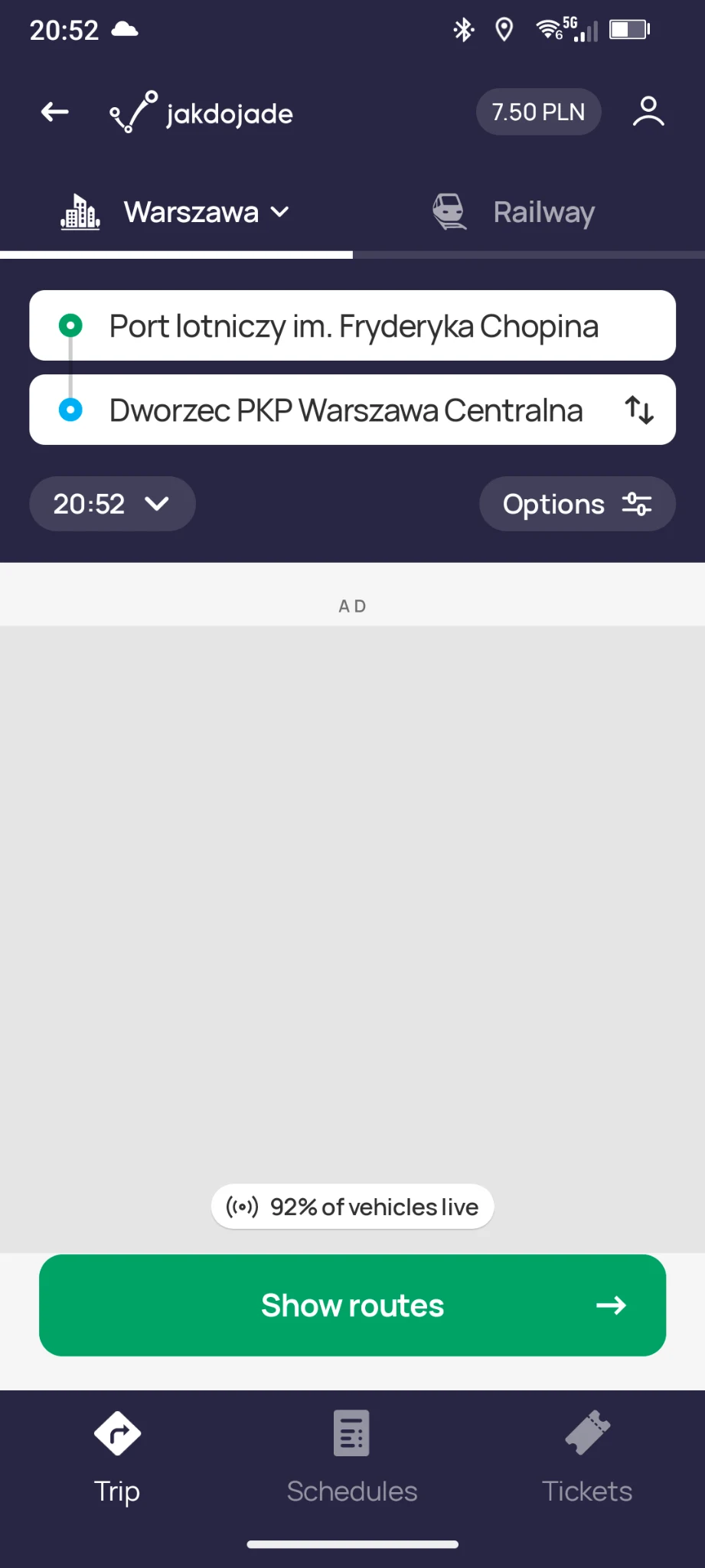
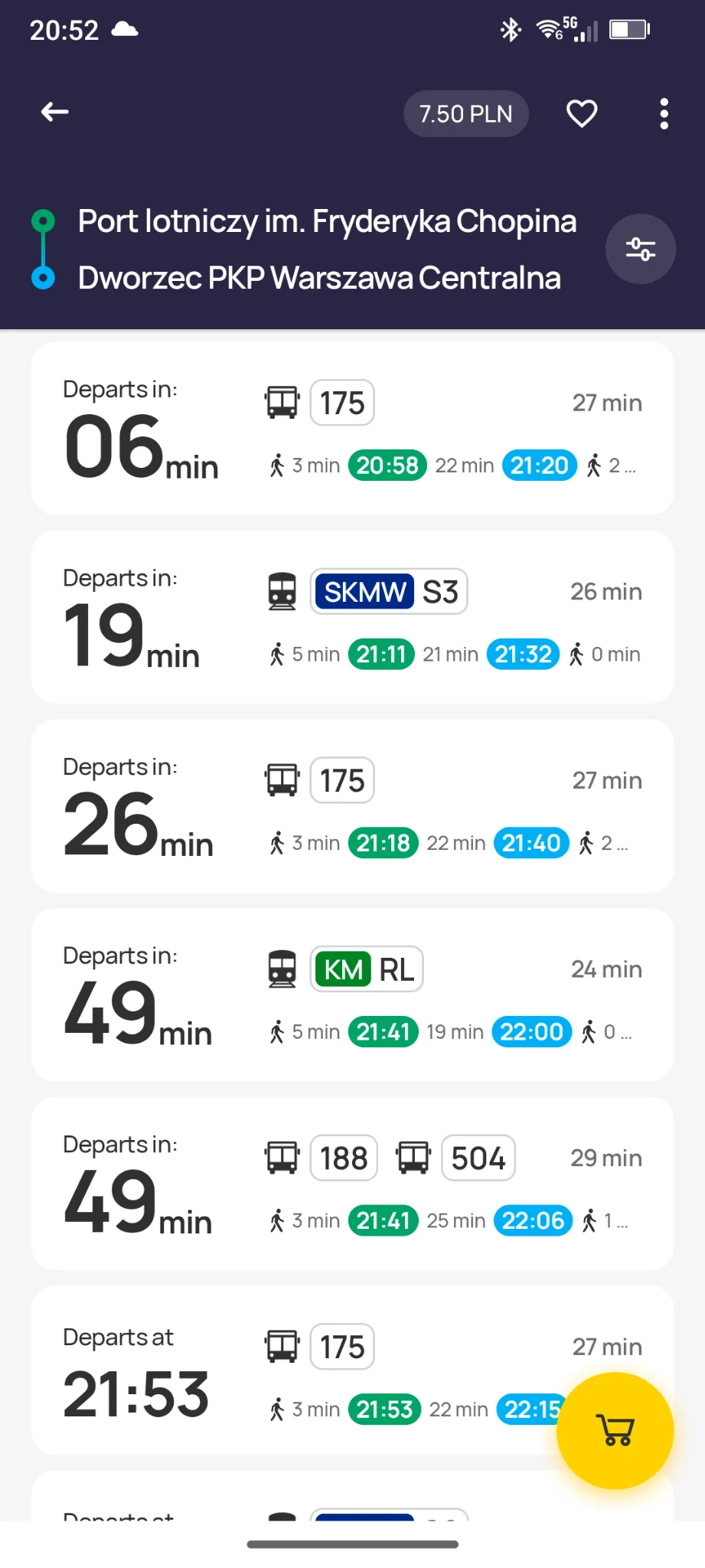
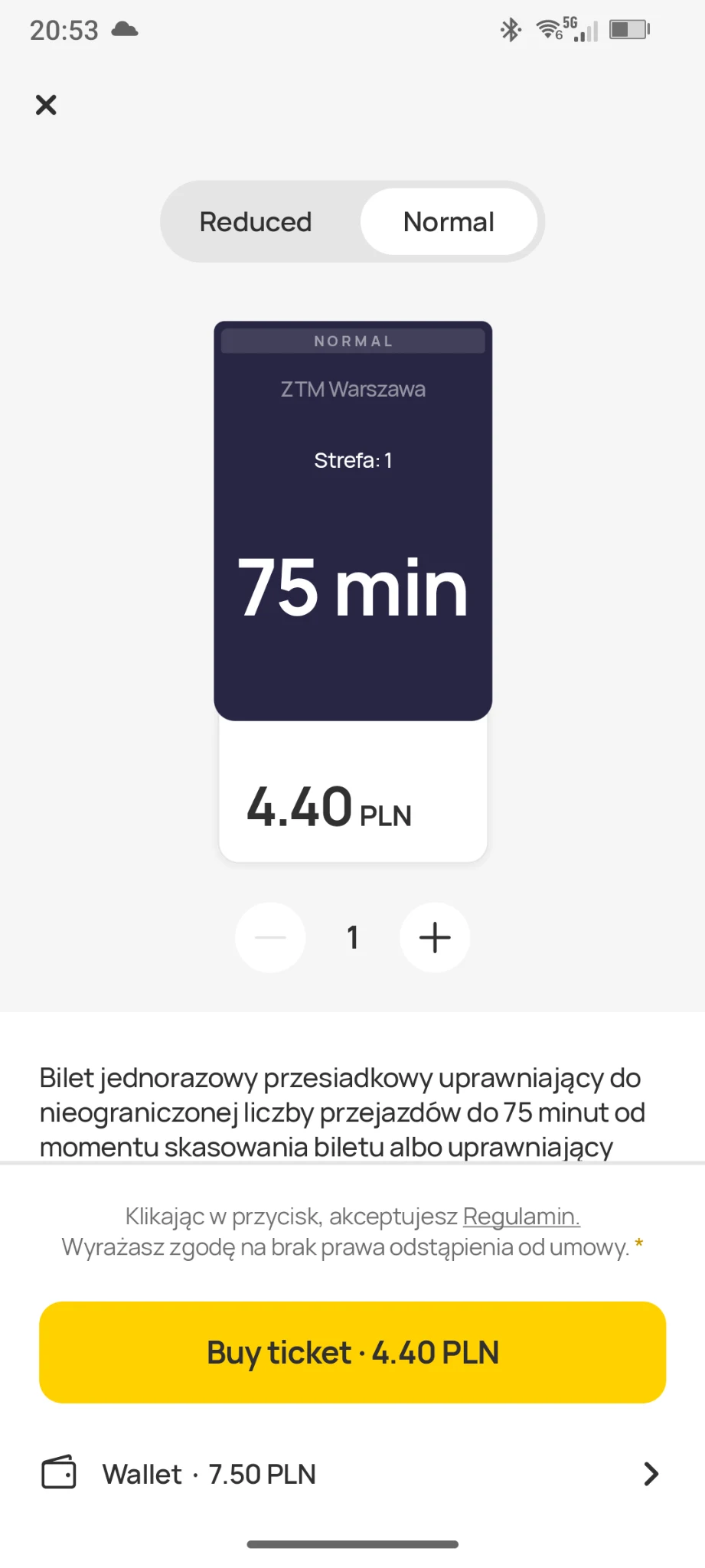
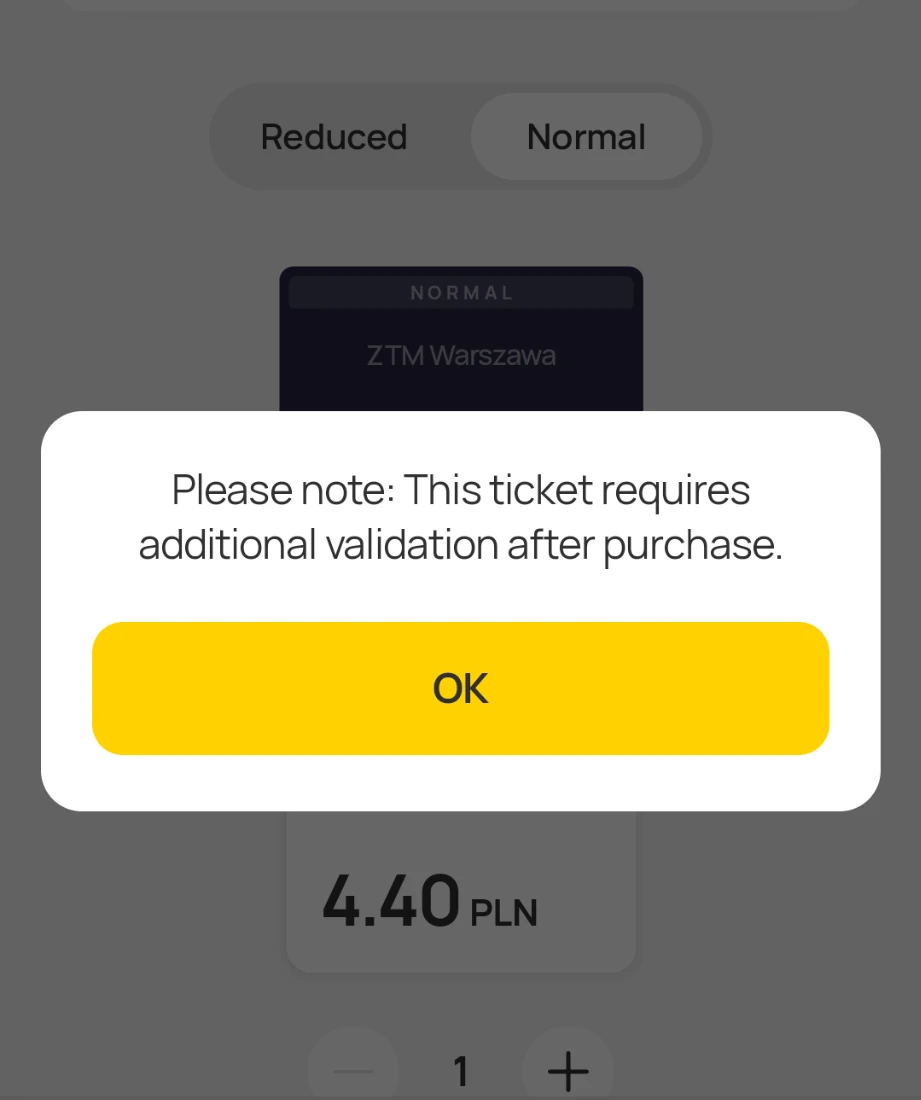
The PLN 7.50 visible at the top of the screenshots is the balance in the Jakdojade Wallet. The ticket shown here costs PLN 4.40.
Our Kids Love Poland guide uses real Jakdojade screenshots and shows route selection, the suggested fare, passengers and the Wallet top-up screen.
PAYMENT
No — not according to Jakdojade's current payment list. For city tickets, Jakdojade lists BLIK or its Wallet. Wallet top-ups support payment cards and BLIK; Jakdojade lists Google Pay only on Android and Apple Pay only on iOS.
Jakdojade currently says a Wallet top-up made with a card issued outside the European Economic Area can carry a 3% service fee, minimum PLN 1. The app should show the charge before you confirm.
THE MOST IMPORTANT RULE
Mobile-ticket rules differ between cities. This is the part tourists most often need to pay attention to.
Jakdojade says a city single ticket is usually activated at the end of the purchase process, so buy it immediately before the journey or before boarding, according to the local rule.
Tickets can be bought in advance and remain inactive. After starting the journey, activate them using the required QR code in the vehicle.
Depending on the city or app, you may need to scan a QR code or enter the vehicle's side number. Follow the exact instruction displayed on screen.
A ticket purchased only after the journey has already started can be treated as invalid and may result in an additional charge.
OTHER APPS
Ticket availability varies by city and operator. These are useful alternatives worth knowing.
City tickets, rail tickets and other transport services. Tickets can be activated and kept in the phone; local QR/vehicle-number rules may apply.
Public-transport tickets and parking in supported cities. Official city pages show card and BLIK payment where available.
A dedicated city-ticket app. Select your city, choose a ticket, pay and keep it in the application.
FAQ
Jakdojade is a very useful first choice because it combines route planning and ticket sales for supported operators in many Polish cities.
No. Jakdojade currently lists BLIK and its Wallet for city-ticket purchases. The Wallet can be topped up by payment card or BLIK, with Google Pay on Android and Apple Pay on iOS.
Often yes, but the rules vary by city. Warsaw and Łódź have a separate activation step using a QR code in the vehicle.
Jakdojade says several city tickets can be bought at the same time by using the “add ticket” option, but the tickets remain on the device/account used for the purchase.